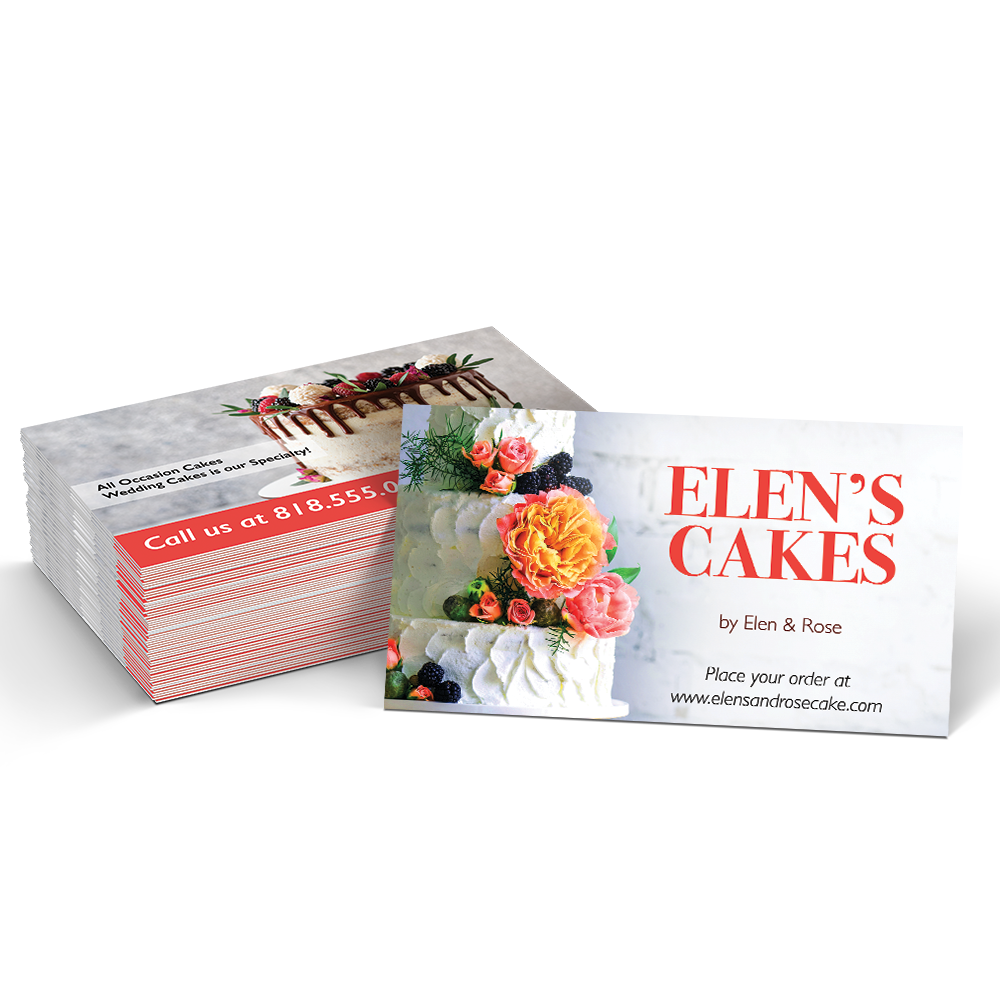
Glossy Coated Business Cards

  • Sizes *

  • Sides *

  • Weight *

  • Coating *

  • Rounded Corners *

  • Radius of Corners *

  • Artwork *

  • Quantity *

  • Turnaround Time *

  • Upload Files (Front) *

    Max file size: 200 MBPermitted file types: jpg jpeg jpe gif png pdf eps

  • Upload Files (Back) *

    Max file size: 200 MBPermitted file types: jpg jpeg jpe gif png pdf eps

  • Get Sheet Value *

  • Weight Calcualtion *

Glossy Coated Business Card Specifications:

Name card available sizes:

  • 2” x 3.5” (Standard Business Card Size)

Paper:

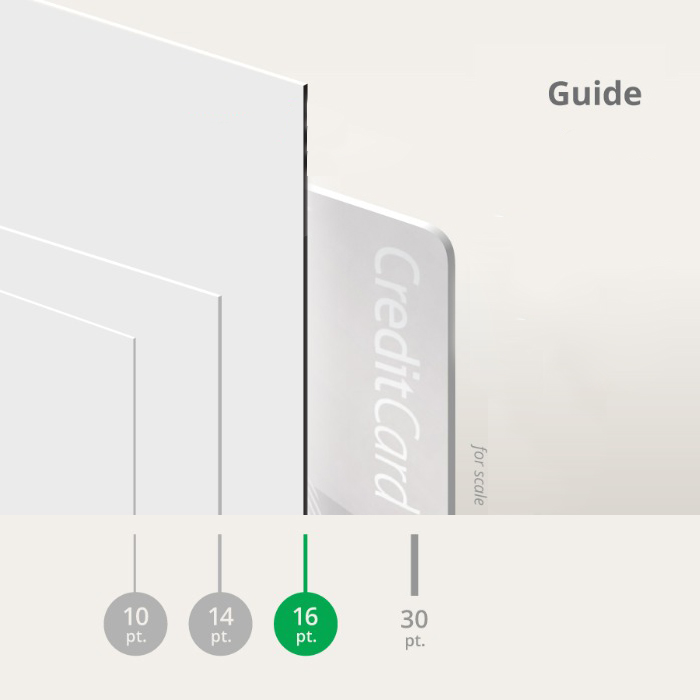
  • 16pt thick card stock paper

Coating:

  • Glossy UV Coated

Design Options:

We know you’re busy, so we want this process to be as smooth and efficient as possible. If you have a design in mind for your glossy coated business cards, format your image as a PDF (front and back of the card, please), upload it, and your cards will begin processing.

If you would rather not design your own glossy coated business card, we offer in-house graphic designers who can send you several design options. You can be as hands-on or hands-off as you wish. If you have specific graphics, photos, or template ideas, send them our way. If you’d rather leave it up to us, just supply the text and we’ll provide the rest!

Cutoff time for all orders is 8:00 AM PST (Monday-Friday). Orders placed after cutoff time will be reconciled the following business day. Please note, turnaround time does not include Digital proof preparation.

Can I Write on This Stock?

No, you cannot write on glossy business cards with a pen or pencil.

Can I Have Borders in My Artwork?

At Guru Printers we do accept borders on business cards. However, we do not recommend them due to a shift that can occur during the printing and cutting process. Artwork can shift up to 0.0625” in any direction during the printing and cutting process and this can create uneven borders on your business cards.

Resources: 

FAQ Section
Design Templates
How to find cheap business cards in Los Angeles.
Design ideas for Business Cards
Business Cards For NYC
How to setup a Business Card

At Guru Printers we offer a wide range of the best business cards from glossy or matte to metallic and plastic. Standard glossy UV coated business cards are reasonably priced and come with finishing options such as rounded corners or UV coating on one side. If you need something designed, our expert design team can guide you through the entire process. Contact one of our friendly staff members to help you create a unique business card that will help your business shine.

The Guru Printers guarantee is that you will receive a high quality product at a reasonable price. If you have any issues or questions about your design or glossy business card layout, please give us a call or email us and one of our friendly staff members will guide you.

Guru Printers offers the best business cards on the market. Quality business cards printed near you.

Networking Essentials: Business Card Printing Services in Los Angeles

In the bustling business landscape of Los Angeles, making connections and leaving a lasting impression is key to success. That’s where professional business card printing services come in. In this article, we’ll explore the importance of business cards, the benefits of professional printing, and why they’re essential for professionals and businesses in Los Angeles.

First Impressions Matter

In a city known for its fast-paced lifestyle and competitive industries, making a strong first impression is crucial. A well-designed business card reflects professionalism, attention to detail, and a commitment to quality, instantly conveying credibility and reliability to potential clients, partners, and contacts.

Networking Powerhouse

Business cards serve as powerful networking tools, providing a tangible reminder of your interaction with others. In a city teeming with networking events, conferences, and industry gatherings, having a stack of professional business cards on hand ensures that you can easily exchange contact information and stay connected with valuable contacts.

Brand Representation

Your business card is more than just a piece of paper with your contact details – it’s a representation of your brand identity. Professional printing services in Los Angeles offer customization options to align your business cards with your brand colors, logo, and messaging, ensuring consistency across all your marketing materials and reinforcing brand recognition.

Local Expertise

Partnering with a local business card printing service in Los Angeles offers several advantages. Local printers understand the unique needs and preferences of businesses in the area and can provide personalized recommendations tailored to your industry, target audience, and budget. Additionally, local printers often offer quick turnaround times and convenient pickup options, saving you time and hassle.

Customization Options

Professional printing services offer a wide range of customization options to make your business cards stand out. From choosing premium paper stocks and finishes to incorporating special design elements like embossing, foil stamping, or die-cut shapes, you can create business cards that make a memorable impression and set you apart from the competition.

Conclusion: Elevate Your Professional Image

In conclusion, investing in professional business card printing services in Los Angeles is a wise decision for professionals and businesses looking to elevate their professional image and make meaningful connections. With their ability to make a strong first impression, facilitate networking opportunities, reinforce brand identity, and offer customization options, business cards are an essential tool for success in the vibrant business landscape of Los Angeles. Partner with a local printing service today and ensure that you’re prepared to leave a lasting impression wherever your business takes you.

Shipping Timeframes

California

shipping times based on Pacific Standard Time product shipping information
Guru Printers produces all orders respective to when they are processed and batched on the production queue. Although, we try our best to produce all orders accordingly based on your geographical proximity to a production facility, we cannot make any guarantees that your item will be produced out of a specific location.

File Setup

In order to ensure your files are print-ready, we recommend that you upload them in PDF format. When you generate a print-ready PDF, your computer will use the settings in Adobe Acrobat Distiller or any other PDF generating programs you may use. Please make sure that these are set properly before generating your PDF file.

If you are uploading PDF files created in Photoshop, please be sure all layers are flattened.

We also accept .JPG (JPEG), and .TIF (TIFF) file types, however PDF is the preferred format.

Check your file to make sure it meets our file creation guidelines. This will help speed up the production of your project and give your printed piece the best results.

  1. Use the CMYK colorspace (Cyan, Magenta, Yellow, blacK). These are industry standard printing colors. CMYK colors are different than RGB (Red, Green, Blue), which are used to display colors on your screen.
  2. Use a minimum resolution of 300 dpi for image files.
  3. Specify trim area with crop marks. (Don’t place crop marks inside the work area.)
  4. Artwork should have 1/8″ (0.125″) bleed extending past the trim line. This is to prevent minor cutting variations from leaving unintended results at the trim edge.
  5. Safe Area is the 1/8″ (0.125″) area inside the trim line. Do not put critical information or images within the Safe Area. This is to prevent minor cutting variations from leaving unintended results at the trim edge.
  6. If you want printed borders, they must be placed a minimum of 1/8″ (0.125″) inside the trim line and include bleed. This is to prevent minor cutting variations from leaving unintended results at the trim edge.

View our File Setup Templates